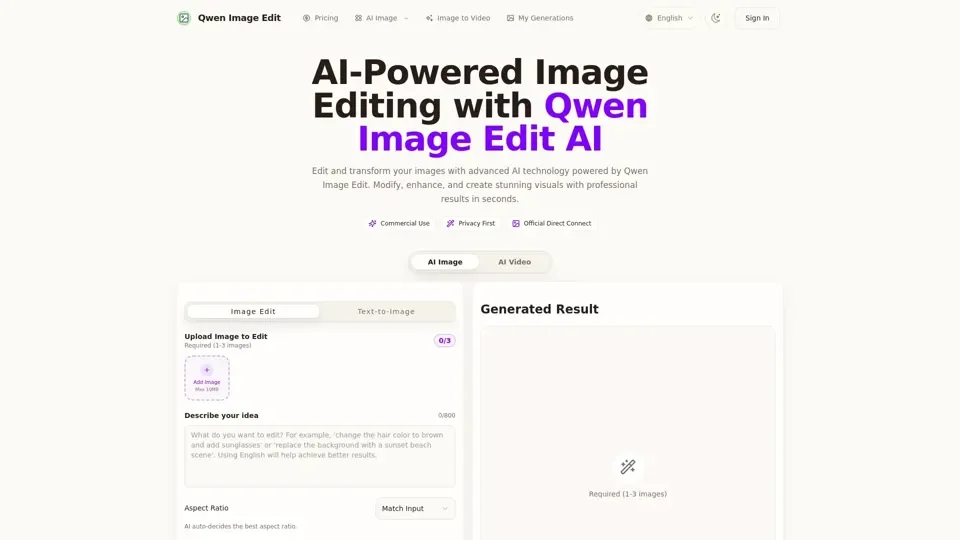
What is Qwen Image Edit
Qwen Image Edit is an AI-powered image editing tool that utilizes a 20B parameter image editing model developed by Alibaba, open-sourced under Apache 2.0 license. The model features dual-input architecture: Qwen2.5-VL for semantic control and VAE Encoder for visual appearance. This advanced technology allows for precise image modifications while maintaining contextual consistency.
Feature of Qwen Image Edit
The key features of Qwen Image Edit include:
-
Advanced Technical Architecture: Dual-input processing architecture with Qwen2.5-VL for semantic control and VAE Encoder for visual appearance, delivering optimal image editing results.
-
Chainable Editing Approach: Allows for multi-round optimization, achieving fine-grained image correction effects.
-
Open Source Community: Built on publicly available models, with a friendly interface, batch workflows, and guardrails for commercial deployments.
-
Virtual Avatar Creation: Supports creating virtual characters and IP expansion, achieving character consistency across multiple scenarios.
-
Background & Clothing Modification: Precise background replacement and clothing modification while maintaining subject naturalness and realism.
-
Artistic Style Transformation: Supports various artistic style conversions and variations, from realistic to abstract with a wide selection range.
-
Detailed Image Refinement: Step-by-step fine-grained image corrections, achieving professional-grade image retouching effects.
-
Bilingual Text Rendering: Advanced text rendering capabilities, supporting precise editing and style preservation for Chinese/English text.
-
GPU Accelerated Processing: Optimized CUDA support, enabling fast image processing in GPU-enabled environments.
How to Use Qwen Image Edit
To use Qwen Image Edit, follow these simple steps:
-
Environment Setup: Install the latest diffusers library, recommend using CUDA-enabled GPU for optimal performance.
-
Model Loading: Load the Qwen/Qwen-Image-Edit model from HuggingFace model hub, supports bilingual text prompts (Chinese/English).
-
Image Editing: Provide source image and editing instructions, the model performs precise image modifications while maintaining contextual consistency.
-
Result Optimization: Use chainable editing approach for multi-round optimization, achieving fine-grained image correction effects.
Price of Qwen Image Edit
The pricing of Qwen Image Edit is not explicitly stated, but it offers a range of features and capabilities that make it a valuable tool for professionals and individuals looking for advanced image editing capabilities.
Helpful Tips for Qwen Image Edit
To get the most out of Qwen Image Edit, here are some helpful tips:
- Use specific and detailed text prompts to achieve desired results.
- Experiment with different artistic styles and variations.
- Utilize the chainable editing approach for multi-round optimization.
- Take advantage of the bilingual text rendering capabilities for Chinese/English text.
Frequently Asked Questions
-
Why choose Qwen Image Edit for precise image editing?: Qwen Image Edit delivers pixel-level control for visuals and on-image text while keeping every variation true to brand guidelines.
-
What is Qwen-Image-Edit 2509?: Qwen-Image-Edit 2509 powers photo restoration, headshot enhancement, and style transfer flows, and is fully integrated into the Qwen Image Edit toolkit.
-
Can I use Qwen Image Edit for commercial purposes?: Yes, once you download your artwork, you can use it for personal, commercial, or creative projects.
-
How long does it take to generate or edit an image?: Qwen Image Edit generates and edits high-quality images in just a few seconds.
-
What if I'm not satisfied with the generated image?: You can easily refine your results by adjusting your text prompt with more specific details or using the conversational refinement feature.