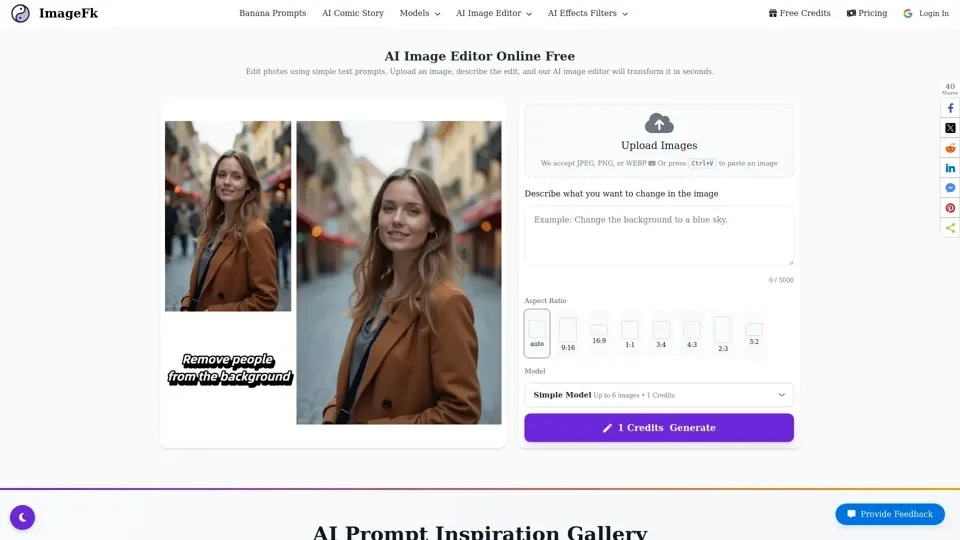
What is AI Image Editor?
AI Image Editor is an online tool that allows users to edit and enhance photos using natural language prompts. It uses artificial intelligence to analyze the user's request and generate a new edited image automatically within seconds.
Features of AI Image Editor
The AI Image Editor has several features that make it a powerful tool for photo editing. These include:
- Text-based image editing: users can describe what they want to change in the image, and the AI will edit it automatically.
- Fast AI processing: edited images are generated within seconds using optimized AI models.
- Multiple aspect ratios: users can generate square, portrait, or landscape images.
- Flexible quality modes: users can choose between fast generation or maximum quality.
How to Edit Images with AI
To edit an image with the AI Image Editor, users can follow these steps:
- Upload their image: users can upload a photo from their device.
- Describe the edit: users can explain what they want to change in the image.
- Generate result: the AI edits the image instantly.
AI Image Editor Use Cases
The AI Image Editor can be used for various purposes, including:
- Photography: remove objects, enhance portraits, and create stunning visuals in seconds.
- E-commerce: create professional product images for online stores.
- Design: speed up workflow with AI assistance and generate multiple variations.
- Content creation: create eye-catching visuals for social media, blogs, and marketing campaigns.
AI Image Editor vs Traditional Photo Editors
The AI Image Editor has several advantages over traditional photo editors, including:
- Ease of use: text prompts vs manual tools.
- Editing speed: seconds vs minutes.
- Skill required: no design skills vs professional knowledge.
- Cost effectiveness: pay-per-use credits vs expensive subscriptions.
AI Image Editor FAQ
Some frequently asked questions about the AI Image Editor include:
- What is an AI image editor?: an AI image editor allows users to modify and enhance photos using natural language prompts.
- How does the AI Image Editor work?: upload a photo, describe the changes, and the AI model analyzes the request and generates a new edited image automatically.
- What file formats are supported?: JPEG, PNG, and WEBP image formats.
- How long does AI image editing take?: most edits are completed within 30-60 seconds.
- Can I remove objects or people from a photo?: yes, by describing what should be removed in the prompt.
- Can I change the background of an image?: yes, by replacing it with a completely new scene.
Helpful Tips
To get the most out of the AI Image Editor, users can follow these tips:
- Use clear and descriptive prompts to produce the best results.
- Experiment with different models and quality modes to find the best combination for their needs.
- Take advantage of the free trial to test the quality of results before purchasing credits.
Pricing
The AI Image Editor offers a pay-per-credit system, with no subscription required. Users can purchase credits to edit their images, and the cost will depend on the complexity of the edit and the model used.
Conclusion
The AI Image Editor is a powerful tool for photo editing that uses artificial intelligence to analyze user requests and generate edited images automatically. Its features, use cases, and advantages over traditional photo editors make it a great option for users who want to edit their photos quickly and easily. By following the helpful tips and using the AI Image Editor, users can produce high-quality edited images that meet their needs.