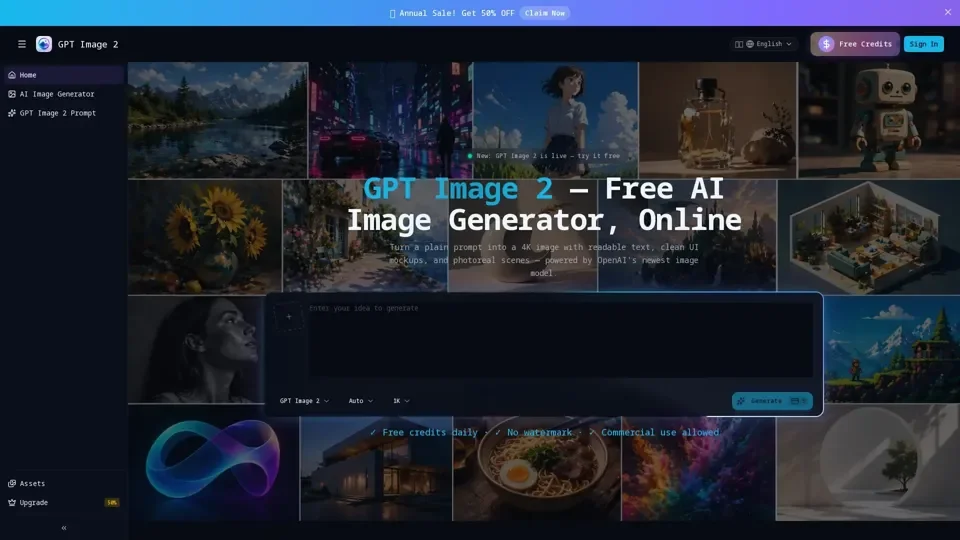
What is GPT Image 2?
GPT Image 2 is a free online AI image generator that uses OpenAI's newest image model to create 4K images with readable text. It allows users to generate images from text prompts, with features such as multilingual rendering, 4K resolution, and custom dimensions.
Feature of GPT Image 2
The key features of GPT Image 2 include:
-
Free daily credits: Users can generate images for free, with daily credits refreshing every day.
-
No watermark: Images generated by GPT Image 2 do not have a watermark, making them suitable for commercial use.
-
Commercial use allowed: Users can use the generated images for commercial purposes, such as product photography, ad creative variants, and concept art.
-
Accurate text rendering: GPT Image 2 can render text inside images with high accuracy, making it suitable for applications such as product labels, headlines, and captions.
-
Multilingual support: GPT Image 2 supports multiple languages, including Chinese, Japanese, Korean, Hindi, Bengali, and Arabic.
How to use GPT Image 2
To use GPT Image 2, follow these steps:
-
Sign in: Sign in with Google or email to claim your free daily credits.
-
Type a prompt: Type a detailed prompt that includes the subject, style, and any text you want rendered inside the image.
-
Pick your settings: Choose an aspect ratio and output resolution for your image.
-
Generate: Click generate to create your image.
-
Refine: If the first result isn't quite right, add a short follow-up prompt to refine the image.
Price of GPT Image 2
GPT Image 2 is free to use, with daily credits refreshing every day. There is no need to pay for credits or subscriptions to use the service.
Helpful Tips for using GPT Image 2
To get the most out of GPT Image 2, follow these tips:
-
Be specific: Provide detailed prompts that include the subject, style, and any text you want rendered inside the image.
-
Quote text: Put text you want rendered inside the image in quotes, such as "BUY ONE, GET ONE FREE".
-
Anchor style: Lead with the style you want, such as "photoreal" or "flat illustration", to help the model commit to an aesthetic.
-
Aspect ratio: End your prompt with the aspect ratio you want, such as "1:1" or "16:9", to ensure the composition is built for the canvas.
Frequently Asked Questions about GPT Image 2
Here are some frequently asked questions about GPT Image 2:
-
Is GPT Image 2 free to use?: Yes, GPT Image 2 is free to use, with daily credits refreshing every day.
-
Can I use GPT Image 2 images commercially?: Yes, images generated by GPT Image 2 can be used for commercial purposes.
-
Do the images have a watermark?: No, images generated by GPT Image 2 do not have a watermark.
-
How accurate is GPT Image 2 at rendering text inside images?: GPT Image 2 can render text inside images with high accuracy, making it suitable for applications such as product labels, headlines, and captions.
-
Can I upload a reference image for image-to-image editing?: Yes, GPT Image 2 allows users to upload a reference image for image-to-image editing.