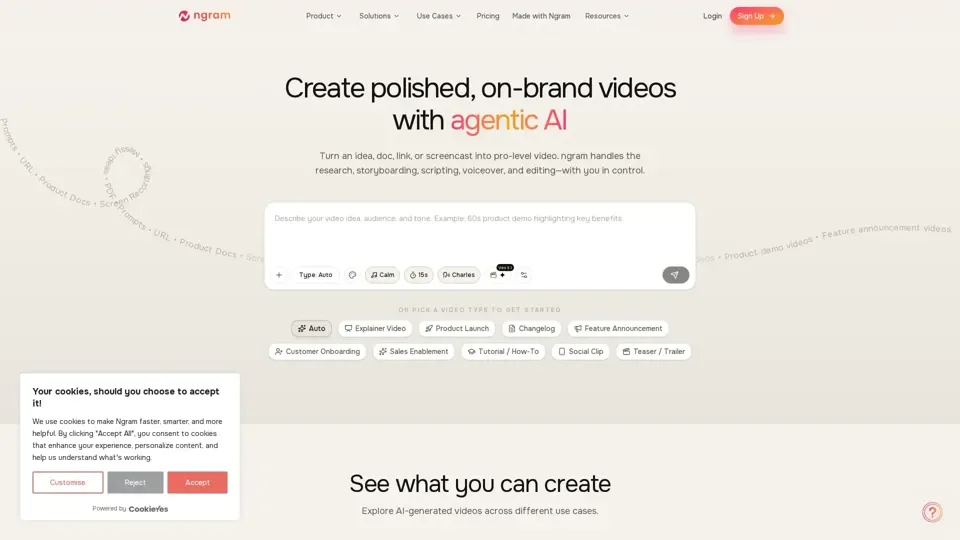
What is ngram?
ngram is an AI-powered video production platform that turns any content—ideas, documents, PDFs, URLs, or screen recordings—into publish-ready professional videos. It automates the entire production pipeline including research, storyboarding, scriptwriting, AI voiceover, motion graphics, and editing, all while giving you creative control through brand kit settings and plain language iteration.
Key Features
- Script & Storyboard First: AI generates a narrative and scene-by-scene storyboard you can steer and refine before any rendering begins.
- Any Asset Input: Start with docs, URLs, screenshots, PDFs, or screen recordings—the AI adapts to whatever you provide.
- Context-Aware Generation: Considers your audience, goals, and distribution channels to create perfectly targeted video content.
- Screen Recording Magic Edit: Transforms rough screen captures into polished walkthroughs with smart cuts, zooms, cursor emphasis, and step labels.
- AI-Generated Visuals: Produces scene-matched visuals and motion graphics to fill footage gaps seamlessly.
- Built-In Motion Graphics: Clean transitions, emphasis effects, lower thirds, and always-on captions included.
- Multi-Format Export: Output in 16:9 landscape, 9:16 vertical, or 1:1 square for any social or professional platform.
- Plain Language Iteration: Refine videos with commands like 'shorten scene 2' or 'add more technical detail'—no timeline editing required.
How to Create Videos with ngram
- Input Your Content: Bring documents, URLs, screen recordings, or text prompts.
- Define Your Goals: Specify audience, objective, and brand style.
- Ship Your Video: Get a complete video with storyboard, voiceover, music, captions, and brand styling ready to publish.
Pricing
Competitive pricing models for startups through enterprises. Contact ngram for detailed plans.
Helpful Tips
- Set up your brand kit first for consistent styling across all videos.
- Start with existing assets—ngram fills in the gaps with AI visuals.
- Use plain language iteration to refine without starting over.
Frequently Asked Questions
- Will videos look AI-generated? No, ngram produces high-quality on-brand output.
- Can I use my brand colors and logo? Yes, define your brand kit once and it applies automatically.
- What formats can I export? 16:9, 9:16, and 1:1 aspect ratios.