What is AI Video Generator
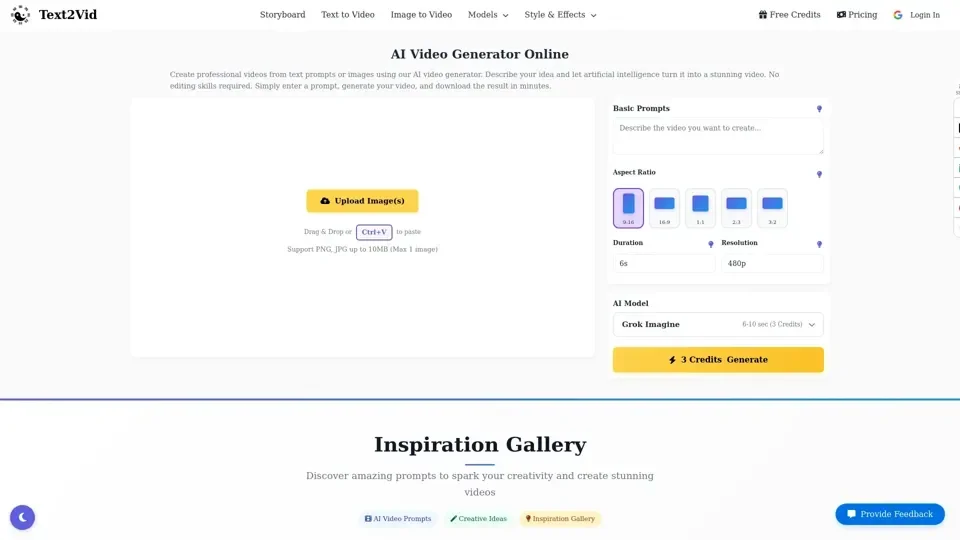
AI Video Generator is an online tool that automatically creates videos from text prompts or images using artificial intelligence. Instead of manually editing videos, users can simply describe a scene and the AI generates the video content.
Feature of AI Video Generator
The AI Video Generator has several features, including:
-
Text to Video AI: Convert written prompts into engaging videos automatically using advanced AI models.
-
Image to Video: Upload an image and transform it into an animated video while preserving the original visual style.
-
Fast AI Rendering: Generate videos within minutes using optimized AI models built for fast content creation.
-
Multiple Video Formats: Export videos in landscape, portrait, or square format for YouTube, TikTok, or Instagram.
How to Use AI Video Generator
To use the AI Video Generator, follow these steps:
-
Upload an Image: Upload a reference image if you want the AI to base the video on a specific visual.
-
Write a Prompt: Describe the video scene including style, movement, and environment.
-
Generate Video: Click generate and download your AI generated video once processing is complete.
Price of AI Video Generator
The price of the AI Video Generator varies depending on the model and quality of the video. The prices range from 3 credits for a basic video to 20 credits for a high-quality video.
Helpful Tips for AI Video Generator
To get the best results from the AI Video Generator, follow these tips:
-
Describe Visual Details: Include colors, lighting, camera angles, and scene descriptions for better AI output.
-
Specify Video Style: Mention styles like cinematic, anime, realistic, or 3D render to guide generation.
-
Describe Motion: Explain how subjects move or interact to produce smoother animation.
-
Request High Quality: Use phrases like cinematic lighting, high resolution, or professional quality.
Frequently Asked Questions
-
What is an AI Video Generator?: An AI video generator is an online tool that automatically creates videos from text prompts or images using artificial intelligence.
-
How does a text to video AI work?: A text to video AI analyzes written prompts and converts them into visual scenes using machine learning models.
-
Can I generate videos from images?: Yes, the AI video generator supports image to video generation.
-
How long does video generation take?: Most AI videos are generated within 1–3 minutes depending on the prompt complexity, selected quality mode, and server workload.
-
Do I need video editing skills to use this tool?: No editing skills are required, the AI handles video generation automatically.