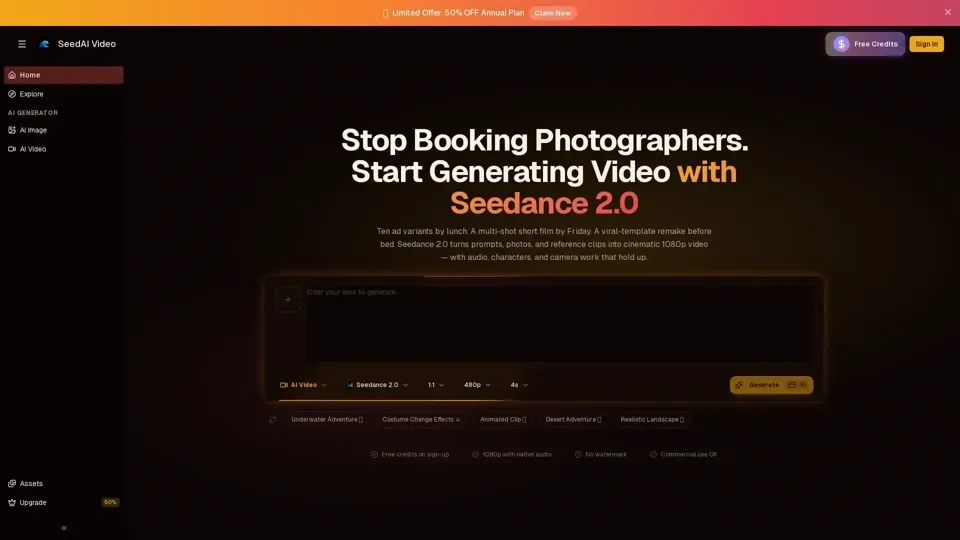
What is Seedance 2.0?
Seedance 2.0 is an AI-driven platform that provides access to a vast array of AI video generation technologies for various needs, including turning prompts, photos, and reference clips into cinematic 1080p videos with audio, characters, and camera work that hold up. It offers six capabilities that set it apart from other mainstream AI video models, including true multi-reference input, native multi-shot output, synchronized audio generation, character and style consistency, motion and camera replication, and the ability to edit and extend without restarting.
Feature of Seedance 2.0
The main features of Seedance 2.0 include:
-
True Multi-Reference Input: Feed it text, images, video clips, and audio clips in a single generation.
-
Native Multi-Shot Output: One request, multiple continuous shots, with characters, wardrobe, and lighting staying locked across cuts.
-
Synchronized Audio Generation: Video and audio are generated jointly, with lip-sync dialogue, ambient sound, and music coming out already aligned.
-
Character & Style Consistency: Faces, outfits, products, and on-screen text stay stable across frames and shots.
-
Motion & Camera Replication: Upload a reference clip and Seedance 2.0 reproduces its camera move, pacing, and choreography with your own subject.
-
Edit and Extend Without Restarting: Swap a shot, replace a subject mid-video, or extend a clip further without regenerating the full sequence.
How to Use Seedance 2.0
To use Seedance 2.0, follow these three steps:
-
Pick Your Input Mode: Choose Text-to-Video, Image-to-Video, or Multi Reference, depending on the materials you have.
-
Write a Clear Prompt: Cover five dimensions: subject, action, camera, lighting, and audio.
-
Generate, Preview, Export: Hit Generate, preview the video, and download the MP4 if you're happy with it.
Price of Seedance 2.0
Seedance 2.0 offers free credits on sign-up, with 1080p output, no watermark, and commercial use allowed. The exact pricing for additional credits or subscriptions is not specified, but it is mentioned that there is a limited offer of 50% off the annual plan.
Helpful Tips for Using Seedance 2.0
- Use longer prompts (80-150 words) for better results.
- Spell out subject, action, camera, lighting, and audio in your prompt.
- Use the reference image as the first frame for more stable output.
- Combine references in Multi Reference mode for more predictable output.
Frequently Asked Questions
-
What is Seedance 2.0?: An AI video generation platform.
-
Is Seedance 2.0 free to use?: Offers free credits on sign-up.
-
Can I use the generated videos commercially?: Yes, commercial use is allowed, and there is no watermark.
-
How long does it take to generate a video?: Most jobs come back in roughly 1-2 minutes.
-
What's the output quality?: 1080p with native audio, and the audio is really synchronized.
-
How does Seedance 2.0 compare to other platforms?: Seedance 2.0 has unique features like true multi-reference input and native multi-shot output.
-
How do I keep character, wardrobe, and lighting consistent?: Seedance 2.0's character and style consistency feature helps with this.
-
How do I write a strong Seedance 2.0 prompt?: Cover the five dimensions and be as detailed as possible.
-
Can I extend or edit an existing video?: Yes, without regenerating the full sequence.
-
What aspect ratios are supported?: Various, including 9:16, 16:9, and 1:1.
-
Is Seedance 2.0 built by ByteDance?: The information provided does not specify the developer, but it is available on seedaivideo.com.