Square Face Icon Generator - Free Square Face Icon Maker Online

Design a modern square face generator icon with live preview. Choose parts, fine-tune colors, randomize ideas, and download PNG from this square icon face generator.

Visiter le site
Square Face Icon Generator - Free Square Face Icon Maker Online

Introduction

What is Square Face Icon Generator?

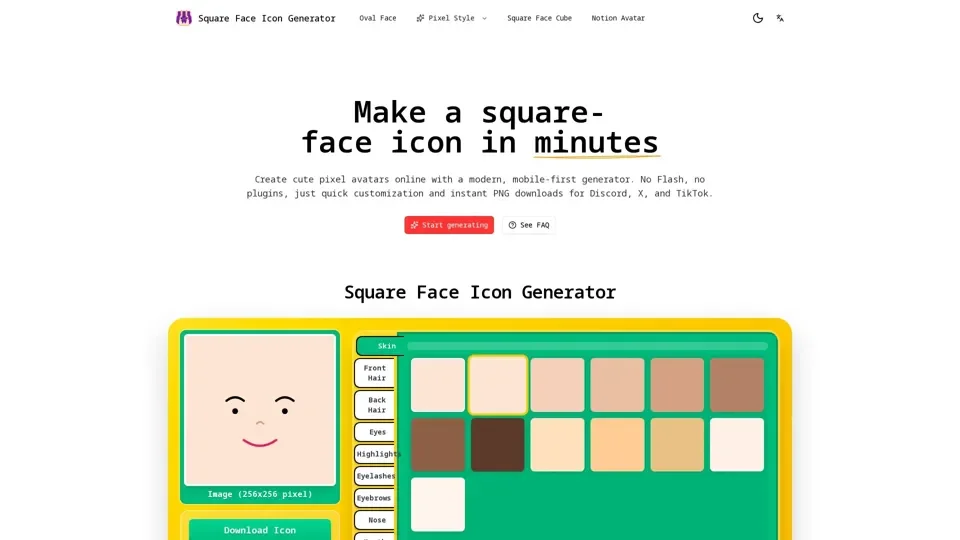
Square Face Icon Generator is a simple tool for building square avatars from ready-made parts. This square face icon generator helps you create a consistent, modern look with a real-time preview. If you’re searching for a square face generator app, this browser-based square face icon generator gives you the same speed with less friction.

Feature

The Square Face Icon Generator focuses on speed, clarity, and repeatable output. Each feature is designed to keep the square face icon generator easy to learn while still powerful enough to act as a square face generator app replacement for everyday icon needs. The key features include:

  • Real-time preview: See changes instantly as you edit.
  • One-click randomizer: Generate fresh combinations quickly.
  • Instant PNG export: Download your result in seconds.
  • Small-size clarity: Built for icons first.
  • Flexible color controls: Adjust skin, hair, and accents with simple picks.
  • Works across devices: Use it on desktop or mobile without extra setup.

How to Use Square Face Icon Generator

To use the Square Face Icon Generator, follow these steps:

  1. Start with a style: Open the square face icon generator and pick a base look.
  2. Adjust details and colors: Mix hair, eyes, accessories, and palette in the square face icon generator.
  3. Randomize for fresh ideas: Hit random to explore quick combinations.
  4. Download your icon: Export a crisp PNG from the square face icon generator and use it anywhere.

Price

The Square Face Icon Generator is free to use, and you can create and download your square face icons without any cost.

Helpful Tips

To get the most out of the Square Face Icon Generator, here are some helpful tips:

  • Use the randomizer to explore different combinations and find inspiration.
  • Experiment with different colors and styles to create a unique look.
  • Use the square face icon generator to create consistent icons for your team or brand.
  • Take advantage of the instant PNG export to quickly download and use your icons.

Frequently Asked Questions

Here are some common questions about using Square Face Icon Generator:

  • What is a square face icon generator? A square face icon generator is a tool that helps you create square avatars from ready-made parts.
  • Do I need to upload a photo? No, you don't need to upload a photo to use the Square Face Icon Generator.
  • Is this like a square face generator app? Yes, the Square Face Icon Generator is similar to a square face generator app, but it's browser-based and doesn't require any downloads or installations.
  • What file type do I get when I download? You can download your icon as a PNG file.
  • How do I make my icon look consistent across a set? Use the square face icon generator to create consistent icons by adjusting the details and colors to match your brand or style.
  • Can I create multiple variations quickly? Yes, you can use the randomizer to quickly generate different combinations and create multiple variations.
  • Is Square Face Icon Generator free to use? Yes, the Square Face Icon Generator is free to use, and you can create and download your square face icons without any cost.