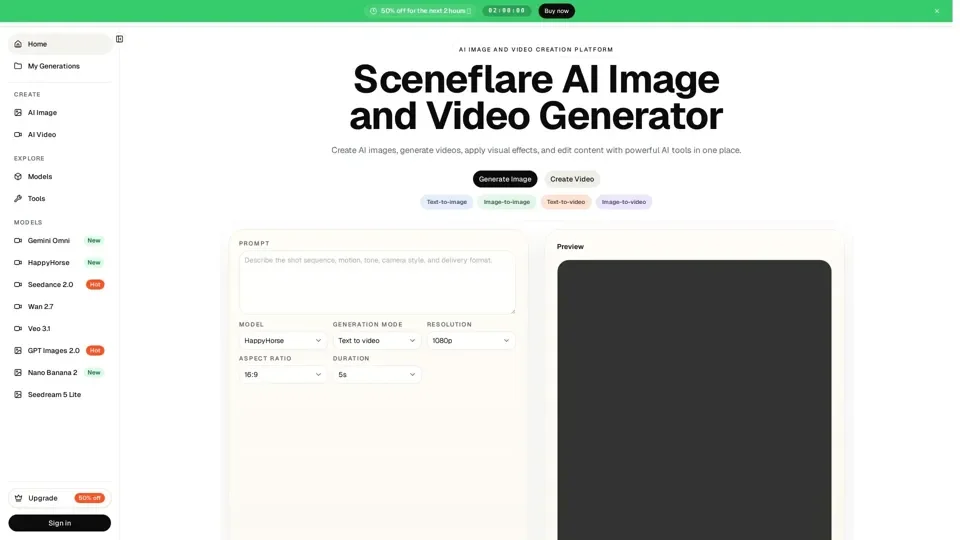
What is Sceneflare
Sceneflare is an AI-driven platform that provides access to a vast array of AI technologies for various needs, including AI image and video creation, text-to-image, image-to-image, text-to-video, and image-to-video generation. It offers a range of models and tools for image and video editing, effects, and production-ready content creation.
Feature of Sceneflare
-
AI Image and Video Creation: Sceneflare allows users to create images and videos from prompts, references, and editing workflows for product visuals, ads, social content, posters, and creative concepts.
-
Text-to-Image and Text-to-Video: Users can generate images and videos from text prompts, with options for customizing style, scene, and motion.
-
Image-to-Image and Image-to-Video: Sceneflare enables users to upload images and generate new images or videos based on the uploaded reference.
-
Effects and Tools: The platform offers a range of effects and tools for image and video editing, including background removal, image upscaling, and video enhancement.
-
Model-Guided Workflows: Sceneflare provides model pages and task pages to guide users in choosing the right path for supported image models, video models, and future generators.
How to Use Sceneflare
To use Sceneflare, users can follow these steps:
-
Choose a Workflow: Select a workflow that matches the user's intent, such as text-to-image, image-to-image, text-to-video, or image-to-video.
-
Upload References: Upload reference images or clips to guide the generation process.
-
Write Prompts: Describe the subject, scene, style, audience, channel, aspect ratio, required text, motion direction, and what should stay or change.
-
Select Models and Tools: Choose from a range of models and tools to customize the generation process.
-
Refine and Edit: Refine and edit the generated content using Sceneflare's effects and tools.
Price of Sceneflare
Sceneflare offers flexible pricing plans, including:
-
Monthly Plans: Basic ($24.92/month), Standard ($58.25/month), and Pro ($108.25/month) plans with varying credit limits and features.
-
Yearly Plans: Basic ($49.83/year), Standard ($116.50/year), and Pro ($216.50/year) plans with discounts for annual commitments.
-
Credit Packs: Users can purchase credit packs for short bursts, launches, testing, or temporary extra demand.
Helpful Tips for Using Sceneflare
-
Write Clear Prompts: Describe the subject, scene, style, audience, channel, aspect ratio, required text, motion direction, and what should stay or change.
-
Use Reference Images: Upload reference images or clips to guide the generation process.
-
Experiment with Models and Tools: Try different models and tools to customize the generation process and achieve the desired results.
-
Refine and Edit: Refine and edit the generated content using Sceneflare's effects and tools to ensure high-quality output.
Frequently Asked Questions
-
What is Sceneflare?: Sceneflare is an AI image and video creation platform for turning ideas into visual scenes, effects, and production-ready content.
-
Is Sceneflare mainly for images or videos?: Sceneflare supports both image and video creation, with workflows for prompts, uploaded references, product visuals, and edits.
-
What is the difference between Effects and Tools?: Effects are preview-led creative transformations, while tools are practical production utilities for tasks such as removing backgrounds, cleaning objects, upscaling images, enhancing videos, or preparing assets for publishing.
-
Can Sceneflare create ads, social media graphics, and content visuals?: Yes, Sceneflare can create display ads, product visuals, social posts, story images, short videos, content graphics, launch visuals, thumbnails, and text-heavy designs that can be reviewed before publishing.