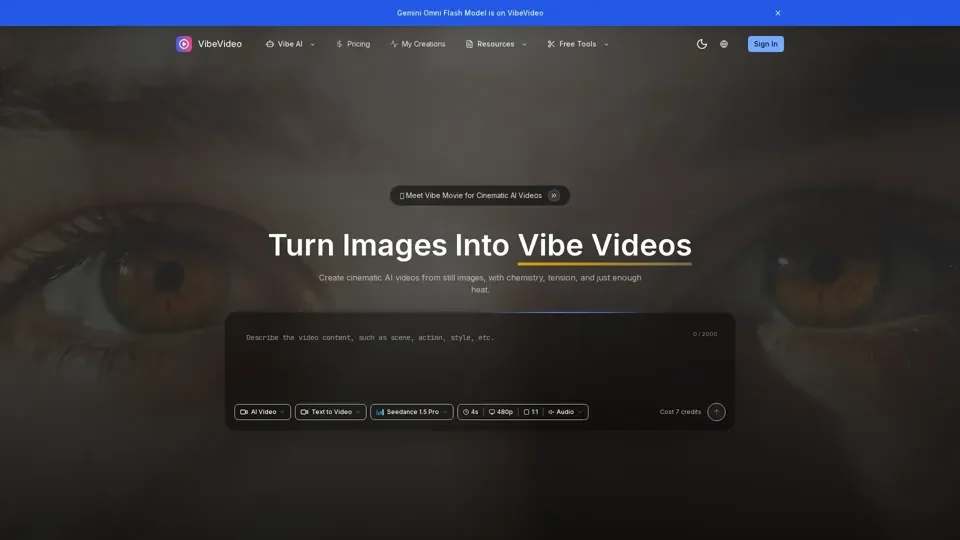
What is VibeVideo
VibeVideo is a powerful AI image to video generator that transforms static images into dynamic, engaging videos. It offers a range of features, including image to video AI, text to video, multiple AI models, fast generation, and high-quality output.
Feature
The key features of VibeVideo include:
-
Image to Video AI: Transform static images into dynamic videos with natural motion and cinematic effects.
-
Text to Video: Describe your vision and let AI create the perfect video from text prompts.
-
Multiple AI Models: Choose from various AI models, including Kling, Runway, and more, for different styles.
-
Fast Generation: Get your videos generated in seconds with an optimized AI pipeline.
-
High Quality Output: Generate HD videos perfect for social media, marketing, and creative projects.
-
Credit System: Flexible pay-as-you-go pricing, starting with free credits and scaling as needed.
How
To create stunning AI videos with VibeVideo, follow these simple steps:
-
Upload Your Image: Select any image you want to transform into a video, supporting JPG, PNG, and WebP formats.
-
Describe Your Vision: Add a prompt to guide the AI on what motion and effects you want in your video.
-
Choose AI Model: Select from multiple AI models optimized for different video styles and quality levels.
-
Download & Share: Get your generated video in seconds and download and share on social media instantly.
Price
VibeVideo offers a flexible pay-as-you-go pricing system, starting with free credits. The cost of generating a video is 7 credits. You can explore more about the pricing by visiting the VibeVideo pricing page.
Helpful Tips
To maximize your use of VibeVideo's AI services:
-
Experiment with Different AI Models: Try out various AI models to find the one that best fits your needs.
-
Use High-Quality Images: Upload high-quality images to get the best results from the AI video generator.
-
Be Creative with Your Prompts: Use descriptive and creative prompts to guide the AI in generating the perfect video for you.
Frequently Asked Questions
Some frequently asked questions about VibeVideo include:
-
What is VibeVideo and how does it work?: VibeVideo is an AI image to video generator that transforms static images into dynamic videos using advanced AI technology.
-
What types of images work best with VibeVideo?: High-quality images with clear and concise content work best with VibeVideo.
-
How long does it take to generate a video?: Videos are generated in seconds with VibeVideo's optimized AI pipeline.
-
What AI models are available?: VibeVideo offers multiple AI models, including Kling, Runway, and more, for different styles and quality levels.
-
How does the credit system work?: The credit system is a flexible pay-as-you-go pricing system, starting with free credits and scaling as needed.