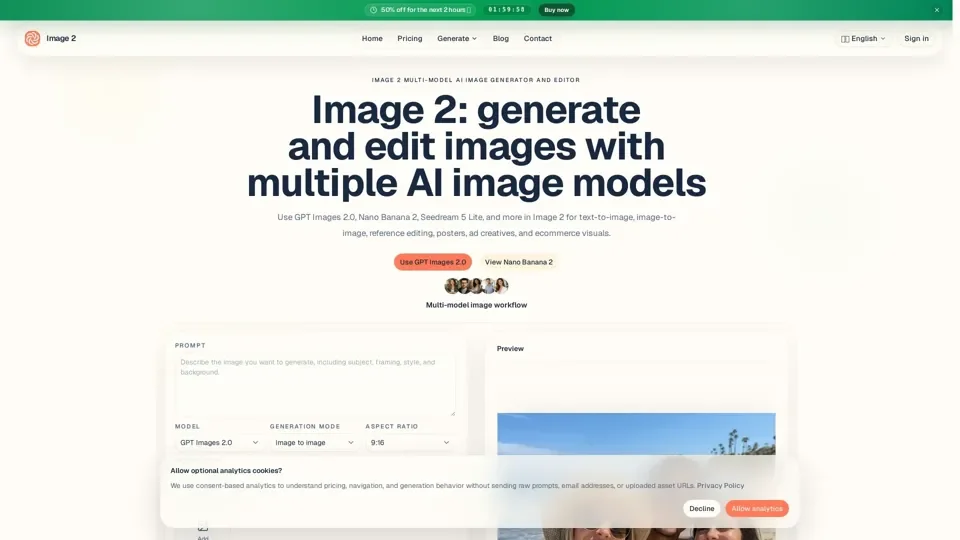
What is Image 2
Image 2 is a multi-model AI image generator and editor that provides access to a variety of AI technologies, including GPT Images 2.0, Nano Banana 2, and Seedream 5 Lite, for text-to-image, image-to-image, reference editing, and model comparison tasks.
Feature
The key features of Image 2 include:
-
Multi-model support: Image 2 supports multiple AI image models, including GPT Images 2.0, Nano Banana 2, and Seedream 5 Lite.
-
Text-to-image and image-to-image workflows: The platform provides workflows for text-to-image and image-to-image tasks.
-
Reference editing and model comparison: Image 2 allows users to edit images based on references and compare different models.
-
Output controls: The platform provides controls for aspect ratio, quality, resolution, and output format.
-
Commercial use: Image 2 allows users to use generated images for commercial purposes, subject to the platform's terms and conditions.
How to Use Image 2
To use Image 2, follow these steps:
-
Choose the model: Select the appropriate model for the task, such as GPT Images 2.0, Nano Banana 2, or Seedream 5 Lite.
-
Add prompts and references: Describe the subject, scene, style, and purpose, and add reference images and controls as needed.
-
Generate and refine: Review the first output, refine the prompt, replace references, or switch models until the image is closer to usable.
Price
Image 2 offers flexible pricing plans, including:
-
Monthly plans: Basic, Standard, and Pro tiers with varying credit limits.
-
Yearly plans: Lower annual cost for steady weekly production.
-
Credit packs: Options for short bursts, launches, or temporary extra demand.
Helpful Tips
To get the most out of Image 2, follow these tips:
-
Start with the right model: Choose the model that best fits the task.
-
Write effective prompts: Start with the subject, scene, style, and intended use, and add aspect ratio, required text, elements to preserve, or reference-image instructions.
-
Refine and iterate: Review the first output, refine the prompt, replace references, or switch models until the image is closer to usable.
Frequently Asked Questions
-
What is Image 2?: Image 2 is a multi-model AI image generator and editor.
-
Which image models does Image 2 support?: The current image workflow supports GPT Images 2.0, Nano Banana 2, and Seedream 5 Lite.
-
When should I use GPT Images 2.0 instead of Nano Banana 2?: Start with GPT Images 2.0 for quick prompt-led generation or general image editing.
-
Can I use generated images commercially?: Yes, subject to the platform's terms and conditions.