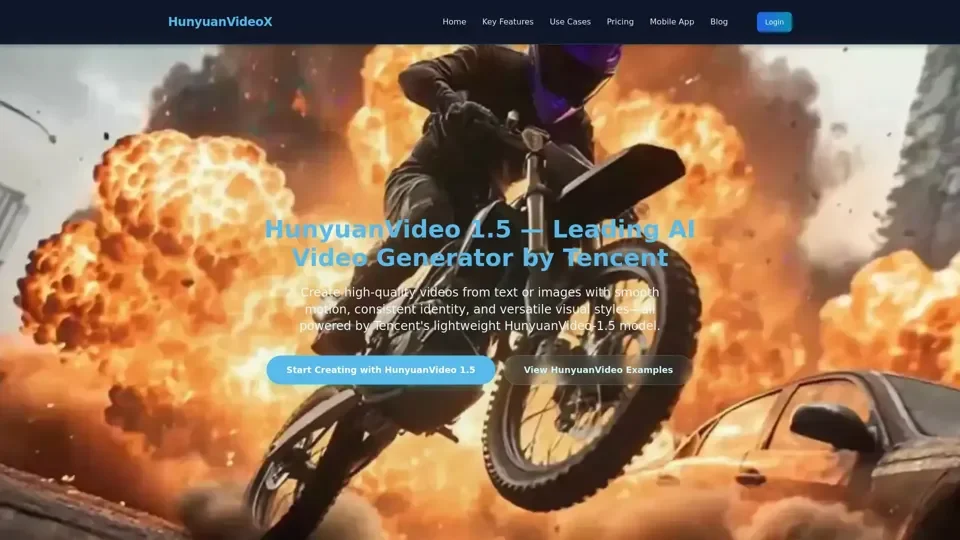
HunyuanVideo 1.5: A leading lightweight video generation model

HunyuanVideo 1.5 is Tencent’s leading lightweight AI video generator for text-to-video and image-to-video, offering top visual quality and motion consistency.

HunyuanVideo 1.5: A leading lightweight video generation model
Visitar sitio web

Introducción

What is HunyuanVideo 1.5?

HunyuanVideo 1.5 is a leading lightweight AI video generation model developed by Tencent's Hunyuan AI. It is designed to create high-quality videos from text or images with smooth motion, consistent identity, and versatile visual styles. The model unifies a text-to-video model and an image-to-video model within one pipeline, delivering top-tier 1080p visual quality and industry-leading motion consistency from prompts or images.

Feature of HunyuanVideo 1.5

The key features of HunyuanVideo 1.5 include:

  1. Top-tier visual quality: Multi-style rendering, smooth motion, and precise controllability.

  2. Strong Instruction Following: Accurate bilingual prompt execution across text-to-video, image-to-video, and I2V workflows.

  3. Natural Cinematic Camera Movement: Authentic cinematic motions generated through the lightweight HunyuanVideo-1.5 engine.

  4. Smooth Motion Generation: Stable temporal consistency and lifelike motion.

  5. Physics Compliance: Realistic physics-driven behavior in characters and environments.

  6. Expression Fidelity: Detailed, emotionally coherent facial expressions.

  7. Multi-Style Support: Flexible multi-style video AI generation, including realistic, cinematic, anime, illustration, and stylized looks.

  8. Cinematic Aesthetics: High-fidelity lighting, composition, and mood design.

  9. Text Rendering: Clear in-video titles, subtitles, and UI elements with reliable layout preservation.

  10. High Image-Video Consistency: Stable identity, style, and structure maintained throughout motion sequences.

How to Use HunyuanVideo 1.5

To use HunyuanVideo 1.5, users can follow these steps:

  1. Upload Image or Text: Upload an image or input text to generate a video.

  2. Select Resolution and Duration: Choose the desired resolution (480p, 720p, or 1080p) and duration (5 sec, 8 sec, or 10 sec) for the generated video.

  3. Generate Video: Click the "Generate Video" button to create the video.

  4. Adjust Settings: Adjust settings such as prompt, style, and camera movement to refine the generated video.

Price of HunyuanVideo 1.5

The pricing of HunyuanVideo 1.5 is based on a pay-as-you-go credit system. Each generated video consumes a certain number of credits, which can be purchased as needed. The cost of credits varies depending on the duration and resolution of the generated video.

Helpful Tips for Using HunyuanVideo 1.5

To get the most out of HunyuanVideo 1.5, follow these tips:

  1. Use Clear Prompts: Use clear and concise prompts to generate high-quality videos.

  2. Adjust Settings: Adjust settings such as style, camera movement, and duration to refine the generated video.

  3. Experiment with Different Styles: Experiment with different styles and resolutions to find the best fit for your needs.

  4. Check the Credit System: Check the credit system to ensure you have enough credits to generate the desired video.

Frequently Asked Questions (FAQs) About HunyuanVideo 1.5

Here are some frequently asked questions about HunyuanVideo 1.5:

  1. What is HunyuanVideo 1.5?: HunyuanVideo 1.5 is a leading lightweight AI video generation model developed by Tencent's Hunyuan AI.

  2. Is HunyuanVideo 1.5 free to use?: The platform may provide limited free access for evaluation, but credits operate on a pay-as-you-go basis.

  3. What resolution does the model generate?: HunyuanVideo 1.5 outputs 480p, 720p, and 1080p video through an efficient super-resolution enhancement module.

  4. Is commercial use allowed?: Yes, you may use the generated videos for commercial projects, and you retain the usage rights to your outputs.

  5. How does the credit system work?: Credits are pay-as-you-go, and each generated video uses a certain number of credits based on duration.