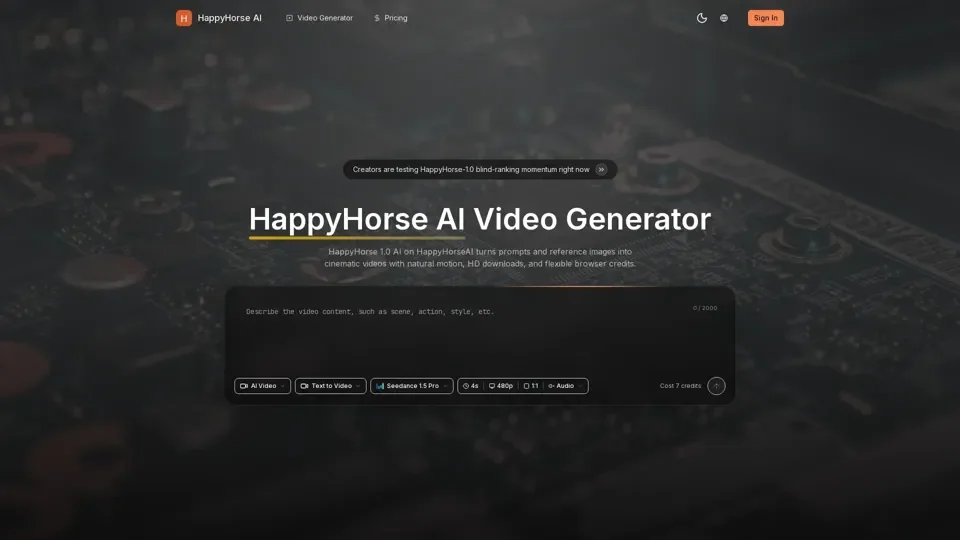
What is HappyHorse AI
HappyHorse AI is an AI-driven platform that provides access to a vast array of AI technologies for various needs, including text-to-video and image-to-video generation. It stands out due to its high-quality motion, scene coherence, and image-follow performance, as favored by blind user voting.
Feature of HappyHorse AI
The main features of HappyHorse AI include:
-
Cinematic Video Generation: HappyHorse AI can generate cinematic videos with natural motion, HD downloads, and flexible browser credits.
-
Text-to-Video and Image-to-Video: It supports both text-to-video and image-to-video generation, allowing users to create videos from prompts or reference images.
-
Customizable Output: Users can tune video length, aspect ratio, and output quality to match their needs.
-
Browser-Based Workflow: The platform provides a simple browser workflow for quick tests, polished previews, and HD downloads.
How to Use HappyHorse AI
To use HappyHorse AI, follow these steps:
-
Enter a Prompt: Describe the video you want to create, and optionally upload an image or video reference.
-
Choose Video Settings: Set video length, aspect ratio, and output quality to match your needs.
-
Generate and Download: Click generate, wait for the preview, and download your HD video for editing or publishing.
Price of HappyHorse AI
The pricing of HappyHorse AI is based on a credit system, where users can purchase credits to generate videos. The cost of each video generation varies depending on the output settings and quality.
Helpful Tips for HappyHorse AI
To maximize your use of HappyHorse AI:
- Start with a clear prompt or reference image to ensure the generated video meets your expectations.
- Experiment with different output settings to find the best balance between quality and cost.
- Use the browser workflow to quickly test and refine your video generation.
Frequently Asked Questions
Some common questions about HappyHorse AI include:
-
What is HappyHorse 1.0 AI?: HappyHorse 1.0 AI is a text-to-video and image-to-video generation platform that provides high-quality motion and scene coherence.
-
Can HappyHorse-1.0 start from a still image?: Yes, HappyHorse-1.0 can start from a still image reference to generate a video.
-
What can I create with HappyHorse AI?: HappyHorse AI can be used to create cinematic ads, concept trailers, social loops, product showcases, and image-led animation.
-
How do credits work?: Credits are used to generate videos, and the cost of each video generation varies depending on the output settings and quality.