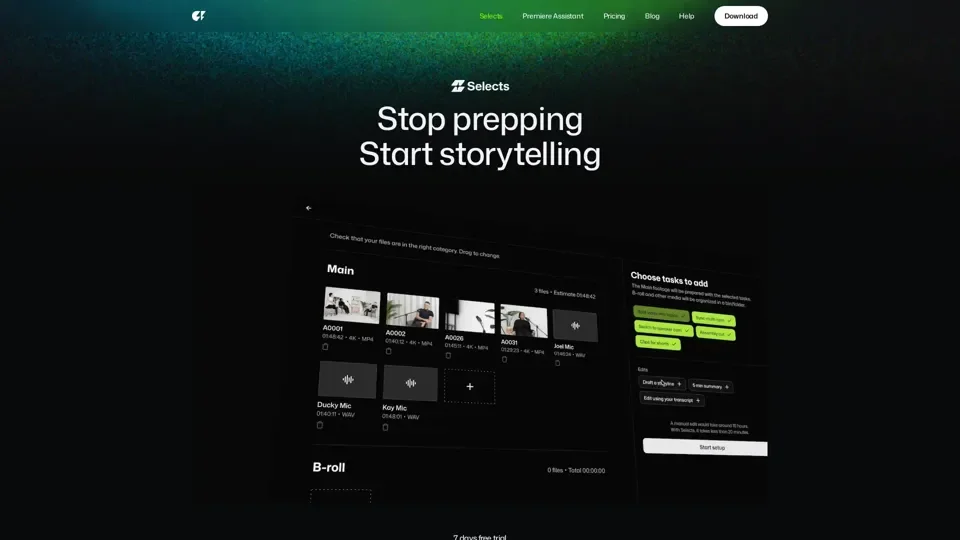
Selects by Cutback - AI for Long form Video Content

Selects streamlines the initial 70% of editing work, the sorting, organizing, and reviewing, so you can reach the creative stage sooner.
Supports Adobe Premiere Pro, Final Cut, DaVinci Resolve.

Selects by Cutback - AI for Long form Video Content
Website besuchen

Einführung

What is Selects

Selects is an AI-driven platform designed to automate the prep phase of professional video editing workflows, allowing users to save time and focus on more creative aspects of video editing. It supports various types of projects, including podcasts, livestreams, documentaries, events, and vlogs, and can handle long-form or clipping content.

Feature

The key features of Selects include:

  1. Auto prep & editing: Automatically syncs gigabytes of multi-cam files and switches cams based on the speaker, supporting 4K and 360° videos.

  2. Smart stringout with chapters: Organizes footage into topic-based chapters, allowing users to review hours of footage in minutes.

  3. Search, drag and go: Enables users to find moments instantly with natural language search and drag and drop clips to keep, without scrubbing.

  4. Cut unnecessary parts: Cuts silences, filler words, and mistakes with just a click, editing the video like a doc with industry-leading accuracy.

  5. Handoff to existing workflow: Seamlessly hands off to Adobe Premiere Pro, Final Cut, or DaVinci Resolve, with project files structured to fit the user's workflow.

How

To use Selects, users can follow these steps:

  1. Dump media into Selects: Upload raw videos to the platform.

  2. Set directions: Select tasks for every type of project.

  3. Auto prep & edit: Let Selects automate the prep phase.

  4. Handoff to existing workflow: Continue editing on Adobe Premiere Pro, Final Cut, or DaVinci Resolve.

Price

The pricing for Selects is not explicitly stated, but it offers a 7-day free trial, allowing users to test the platform before committing to a subscription.

Helpful Tips

To maximize the use of Selects, users can:

  1. Use natural language search: Find moments instantly with natural language search.

  2. Experiment with structure and pacing: Use AI to turn prepped footage into story-driven rough cuts.

  3. Take advantage of non-destructive edits: Edits in Selects are non-destructive, giving users control over their workflow.

Frequently Asked Questions

  1. What does Selects do?: Selects automates the prep phase of professional video editing workflows.

  2. Do I need to pay for it?: Selects offers a 7-day free trial, and pricing details are available upon request.

  3. Can I edit videos directly in Selects?: Selects is designed to automate the prep phase, and users can continue editing on Adobe Premiere Pro, Final Cut, or DaVinci Resolve.

  4. Are there keyboard shortcuts?: The platform may offer keyboard shortcuts, but this information is not explicitly stated.

  5. How do I continue editing on Adobe Premiere Pro?: Users can hand off their project to Adobe Premiere Pro, with project files structured to fit their workflow.

  6. How do I continue editing on Final Cut Pro?: Users can hand off their project to Final Cut Pro, with project files structured to fit their workflow.

  7. How do I continue editing on DaVinci Resolve?: Users can hand off their project to DaVinci Resolve, with project files structured to fit their workflow.