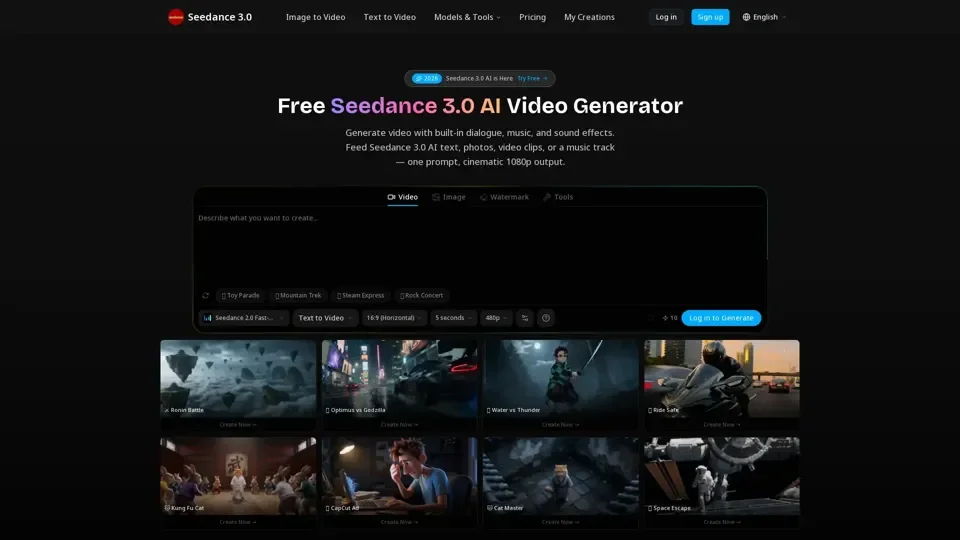
What is Seedance 3.0 AI
Seedance 3.0 AI is an innovative video generation platform that utilizes artificial intelligence to create cinematic videos from text, images, and audio inputs. It offers a wide range of features, including multi-reference input, beat sync, lip sync, and video editing capabilities. With Seedance 3.0 AI, users can generate high-quality videos with native audio, multilingual lip sync, and beat-matched editing.
Feature of Seedance 3.0 AI
The key features of Seedance 3.0 AI include:
-
Text to Video: Generate videos from text prompts, with options for customizing camera angles, lighting, and action.
-
Image to Video: Create videos from images, with the ability to add motion and effects.
-
Multi-Shot: Generate videos with multiple shots and scenes.
-
Video Editing: Edit videos using prompts, with options for changing characters, settings, and mood.
-
Beat Sync: Synchronize video edits with music tracks, creating a seamless and professional-looking video.
-
Reference to Video: Generate videos based on reference images or clips, with the ability to match lighting, framing, and motion style.
How to Use Seedance 3.0 AI
Using Seedance 3.0 AI is a straightforward process:
-
Drop in Your Inputs: Write a prompt, add character photos, a reference video, or a beat track.
-
Seedance 3.0 AI Renders Everything: The AI generates video, dialogue, effects, and music together, with lip sync matching your chosen language.
-
Download or Extend: Get your 1080p MP4 video, or extend it using the Video Extension feature.
Price of Seedance 3.0 AI
Seedance 3.0 AI offers a credit-based pricing system, with four plans:
-
Starter: $8/mo (100 credits/month), suitable for hobbyists and casual creators.
-
Pro: $24/mo (500 credits/month), suitable for creators who need AI video regularly.
-
Business: $64/mo (1,500 credits/month), suitable for studios, agencies, and teams with high-volume needs.
-
Enterprise: $160/mo (5,000 credits/month), suitable for large-scale production, with custom enterprise service and dedicated account manager.
Helpful Tips for Using Seedance 3.0 AI
To get the most out of Seedance 3.0 AI, follow these tips:
-
Use high-quality inputs: Provide clear and descriptive text prompts, high-resolution images, and good-quality audio tracks.
-
Experiment with different features: Try out the various features, such as beat sync, lip sync, and video editing, to create unique and engaging videos.
-
Use the reference to video feature: Generate videos based on reference images or clips to create a consistent style and look.
Frequently Asked Questions
-
What is Seedance 3.0 AI?: Seedance 3.0 AI is an AI-driven video generation platform that creates cinematic videos from text, images, and audio inputs.
-
How does multi-reference input work in Seedance 3.0?: Multi-reference input allows users to generate videos based on multiple reference images or clips, with the ability to match lighting, framing, and motion style.
-
What languages does Seedance 3.0 lip sync support?: Seedance 3.0 AI supports lip sync in multiple languages, including English, Japanese, Korean, and more.
-
How does beat sync work?: Beat sync synchronizes video edits with music tracks, creating a seamless and professional-looking video.
-
What are the output specs?: The output specs include 1080p HD resolution, with options for customizing aspect ratios, frame rates, and file formats.