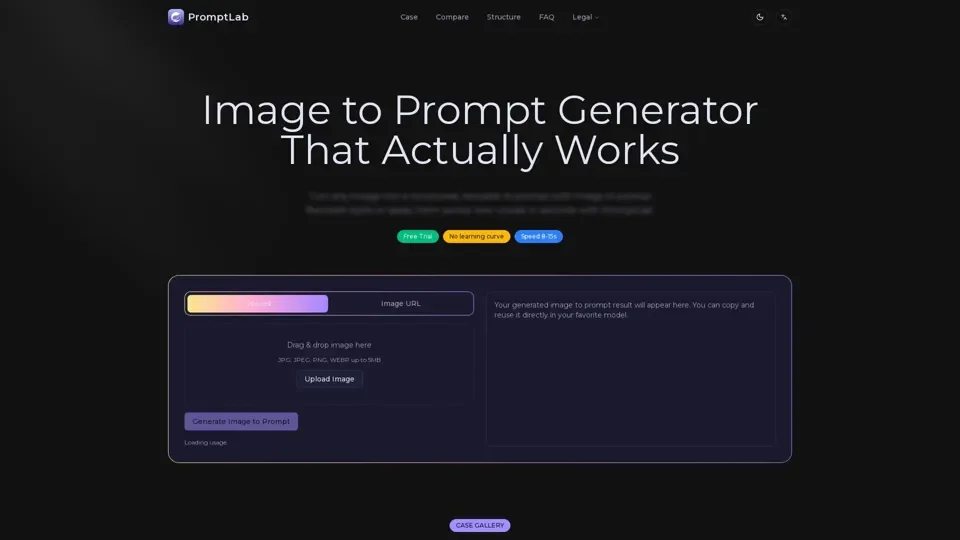
What is Image to Prompt Generator
Image to Prompt Generator is an AI-driven tool that converts images into structured, reusable prompts for AI image generation models. It analyzes the input image, extracts key elements such as subject, style, lighting, and composition, and turns them into reusable instructions for consistent image generation.
Feature of Image to Prompt Generator
The key features of Image to Prompt Generator include:
-
Support for Multiple Models: The generated prompts are designed to work with mainstream image generation models such as Flux, Stable Diffusion, MidJourney, and GPT-4o.
-
Reusable Prompts: The prompts generated are reusable, allowing users to apply the same style to different subjects or scenes while preserving the original style.
-
No Prior Knowledge Required: No prior prompt engineering knowledge is required to use the tool, as it automatically generates structured prompts that are ready to use.
-
Batch Generation: Although batch image to prompt generation is not supported in the current version, the tool focuses on generating high-quality prompts for individual images.
How to Use Image to Prompt Generator
To use the Image to Prompt Generator, follow these steps:
-
Upload or Paste Image URL: Start with any reference image, and the tool will analyze the subject, lighting, composition, and style.
-
Generate Prompt: The tool converts the visual information into a structured, model-ready prompt output.
-
Copy and Reuse: Use the generated prompt to recreate images or apply the same style across new visuals.
Price of Image to Prompt Generator
The pricing of Image to Prompt Generator is not explicitly stated, but it offers a free trial, allowing users to test the tool before committing to a paid plan.
Helpful Tips for Using Image to Prompt Generator
To get the most out of the Image to Prompt Generator, keep the following tips in mind:
-
Use Clear Inputs: Use images with clear subjects and defined visual styles to improve the accuracy of the generated prompts.
-
Refine Prompts: Refine or edit individual fields in the generated prompt to have more control over the final result.
-
Experiment with Different Models: Try using the generated prompts with different image generation models to see how they interpret the prompts.
Frequently Asked Questions
-
What is an Image to Prompt Generator?: An Image to Prompt Generator converts visual content into a structured prompt that can be used in AI image generation models.
-
How Does Image to Prompt Work?: The tool analyzes an input image using vision models to identify its visual structure, including subject, environment, style, and lighting, and turns them into a structured prompt.
-
Are Prompts Reusable?: Yes, the prompts generated are reusable, allowing users to apply the same style to different subjects or scenes while preserving the original style.
-
Do I Need Prior Knowledge?: No prior prompt engineering knowledge is required to use the tool, as it automatically generates structured prompts that are ready to use.
-
What Formats Are Supported?: The tool supports images in JPG, JPEG, PNG, or WEBP format, or a valid image URL.