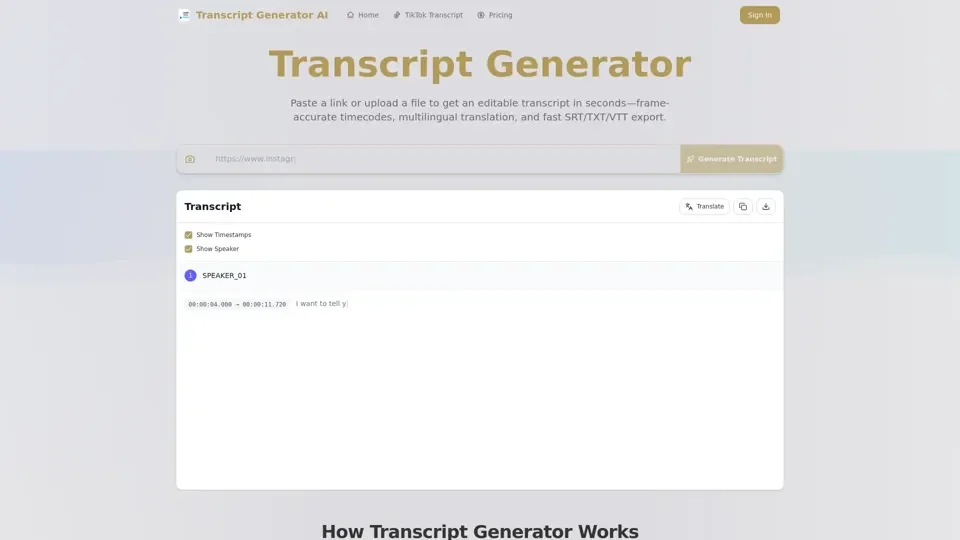
What is Transcript Generator
Transcript Generator is an AI-powered transcription tool that converts spoken audio from videos and recordings into accurate, editable text. Simply paste a video link or upload a media file to receive a complete transcript with precise frame-level timecodes, ready for editing, translation, and export.
Key Features
- Multiple Export Formats: Export transcripts as SRT, TXT, VTT, DOCX, or PDF files for maximum compatibility across platforms and workflows.
- Frame-Accurate Timecodes: Every line is annotated with precise timestamps, making it easy to sync subtitles and edit specific segments.
- Multilingual Support: Transcribe in multiple languages and translate on the fly for synchronized multilingual captions.
- High Accuracy: AI-powered engine delivers 95-99% accuracy depending on audio quality and speech clarity.
- Speaker Diarization: Automatically identify and label different speakers in multi-person conversations.
- Batch Processing: Queue multiple files for concurrent transcription to save time on large projects.
How to Use Transcript Generator
- Paste a video URL or upload your media file.
- Click Transcribe to generate the text with timestamps.
- Edit, merge, or split segments and adjust timing as needed.
- Translate content into other languages if required.
- Export in your preferred format.
Use Cases
- Content Repurposing: Turn one video into blog posts, emails, social media snippets, and quote cards.
- Accessibility: Add accurate captions and subtitles to make content accessible to all audiences.
- Localization: Translate transcripts to reach new markets while preserving terminology consistency.
- Research: Quickly extract and search through spoken content from interviews, lectures, and meetings.
Pricing
Transparent pricing with a free tier available. Paid plans offer bulk processing, mobile access, and API integration for advanced users.