AI Face Swap Online (Free, No Watermark) | Remake Face AI

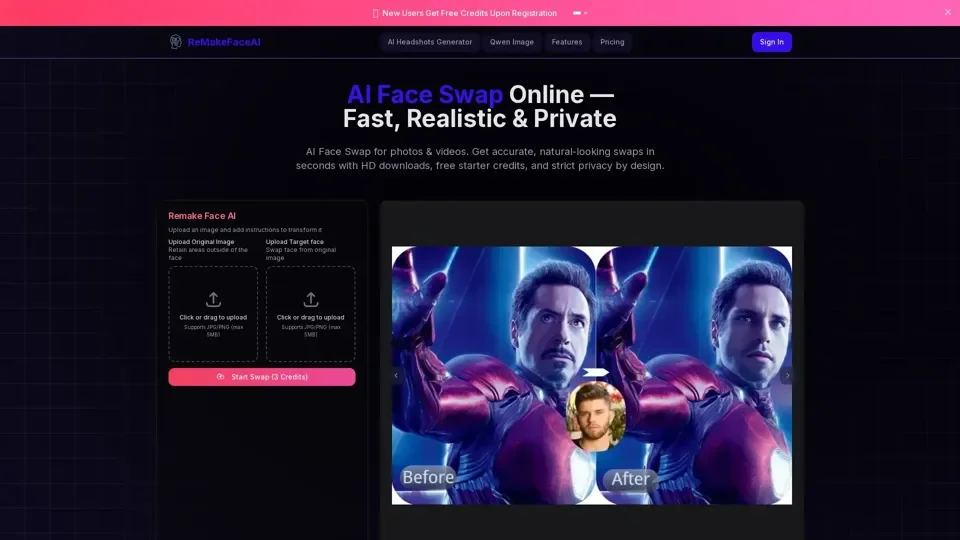
Swap faces in photos & videos online with AI. Fast, realistic results. Try free credits on Remake Face AI—privacy-first, no watermark.

AI Face Swap Online (Free, No Watermark) | Remake Face AI
Visit Website

Introduction

What is Remake Face AI

Remake Face AI is an advanced online tool that utilizes artificial intelligence to modify and transform images based on user instructions. It can remove unwanted elements, change styles, alter objects, modify backgrounds, and much more, going beyond simple face editing. With Remake Face AI, you can seamlessly replace faces in group or personal photos, swap faces with friends or family members, and even transform into your favorite celebrity or movie character.

Feature

Remake Face AI offers a wide range of features, including:

  1. AI Face Swap: Swap faces in photos and videos with accurate, natural-looking results.

  2. One-Click Beautification: Instantly enhance portraits with skin smoothing, wrinkle removal, and facial optimization.

  3. Advanced Privacy Protection: Secure face processing with privacy-first technology, ensuring your images are processed safely and never stored without permission.

  4. Artistic Style Filters: Transform your photos into various artistic styles, including cartoon, anime, oil painting, and more.

  5. Custom AI Portrait Generation: Create completely unique AI-generated faces from text descriptions or by combining features from multiple images.

  6. High-Resolution Output: Download your transformed images in premium quality for social media, printing, or creative projects.

How to Use Remake Face AI

Using Remake Face AI is easy and straightforward. Here's a step-by-step guide:

  1. Upload Your Photo: Simply drag & drop or select a JPG/PNG file (max 5MB) to get started.

  2. Describe Your Changes: Tell us what you want to modify in your image with clear instructions.

  3. Let Remake Face AI Work: Wait briefly while our advanced AI technology transforms your image.

  4. Download & Save: Preview your newly transformed image and download it with one click.

Price

New users get 5 free credits to try out Remake Face AI. After using up the free credits, you can purchase more credits or subscribe to our affordable plans to continue using the service.

Helpful Tips

To get the most out of Remake Face AI, here are some helpful tips:

  • Use clear and concise instructions to guide the AI.
  • Experiment with different artistic styles and filters to find the one that works best for your image.
  • Take advantage of the one-click beautification feature to enhance your portraits.
  • Use the custom AI portrait generation feature to create unique and interesting faces.

Frequently Asked Questions

Here are some frequently asked questions about Remake Face AI:

  1. What is Remake Face AI?: Remake Face AI is an advanced online tool that uses artificial intelligence to modify and transform images based on user instructions.

  2. What kind of image modifications can I perform?: You can perform a wide range of modifications, including removing objects or people, changing clothing or accessories, altering facial expressions, applying artistic styles, modifying backgrounds, or generating entirely new elements based on your text prompts.

  3. How does the AI understand my instructions?: Remake Face AI utilizes sophisticated AI models trained on vast amounts of image and text data to interpret your natural language prompts and apply them contextually to the image.

  4. Will using Remake Face AI reduce my image quality?: The AI strives to maintain the original image quality as much as possible, especially when removing elements or making subtle changes.

  5. Is it safe and private to use Remake Face AI?: We prioritize user privacy, and uploaded images are typically processed securely and are not used for purposes other than generating your result.