What is Lekhak
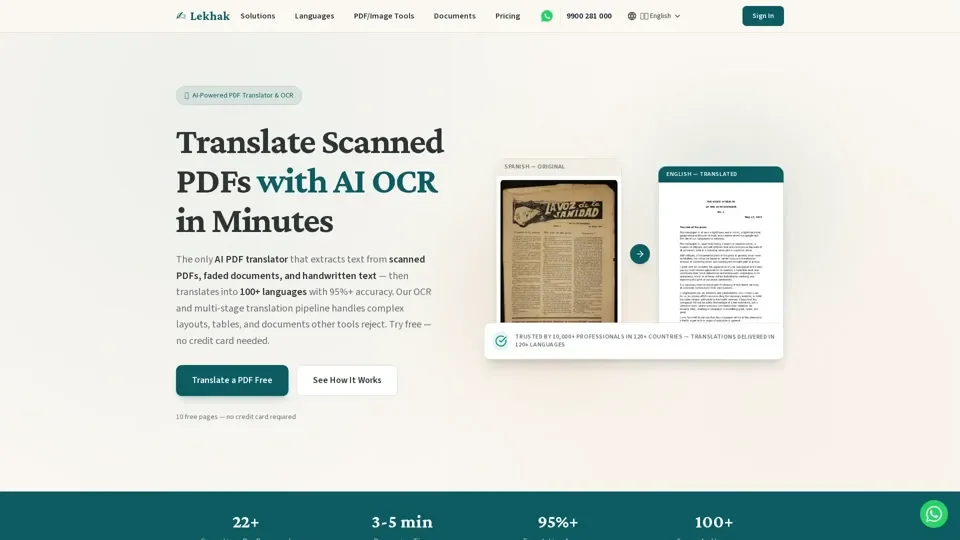
Lekhak is an AI-powered PDF translator and OCR that extracts text from scanned PDFs, faded documents, and handwritten text, then translates it into 100+ languages with 95%+ accuracy. The platform handles complex layouts, tables, and documents that other tools reject.
Features of Lekhak
-
Vision-First OCR: Computer vision models extract text from heavily damaged scans, handling 15° skew, low contrast, faded ink, and complex watermarks.
-
Contextual Translation: AI preserves the meaning, tone, and formatting of the document, automatically detecting the language and type of document.
-
Multi-Stage Validation: Ensemble verification pipeline corrects OCR hallucinations, fixing character confusion, name consistency, and date formats, with an average of 22 corrections per document.
-
Support for 100+ Languages: Including Spanish, French, German, Chinese, Arabic, Russian, Portuguese, Korean, Italian, Dutch, and many more, as well as all 22 major Indian languages.
How to Use Lekhak
Every user can utilize Lekhak's AI-powered translation and OCR for free up to 10 pages. Subscribing to the platform grants additional benefits and extended access beyond the free usage limits. To use Lekhak, simply sign up, upload the PDF, image, or Word document, and the AI OCR will extract the text, then translate it into the desired language.
Pricing of Lekhak
Lekhak offers a pay-as-you-go pricing model, with costs starting at $0.25 per page for typing/OCR, $0.50 per page for Indian languages, and $1 per page for global languages. The platform also offers transcription and live dictation services, with launch offers available.
Helpful Tips for Using Lekhak
-
Use Lekhak for Difficult Documents: The platform is built specifically for "impossible" documents that other services reject.
-
Leverage Intelligent Auto-Correction: The validation layer automatically detects and fixes common OCR errors.
-
Choose the Right Tier: Select the appropriate pricing tier based on translation needs, with options for typing/OCR, Indian languages, and global languages.
Frequently Asked Questions
-
Can Lekhak Translate Scanned PDFs and Faded Documents?: Yes, this is exactly what Lekhak specializes in, with AI-powered OCR extracting text from scanned PDFs, faded documents, and handwritten text.
-
How Do I Translate a PDF Online for Free?: Sign up free, upload the PDF, image, or Word document, and Lekhak's AI OCR will extract the text, then translate it into 100+ languages in 3-5 minutes.
-
How is Lekhak Different from Google Translate for PDFs?: Lekhak is a dedicated AI PDF translator with built-in OCR, extracting text from scans, translating it, and validating with 22+ AI corrections per document, while preserving the original document formatting and table structures.
-
What Languages Does the PDF Translator Support?: Lekhak supports 100+ languages, including Spanish, French, German, Chinese, Japanese, Arabic, Russian, Portuguese, Korean, Italian, Dutch, and many more, as well as all 22 major Indian languages.
-
Is My Document Secure When Using This PDF Translator?: Yes, documents are encrypted in transit and at rest using enterprise-grade security, and files are automatically deleted after processing, with the option for local OCR to keep the document on the device.