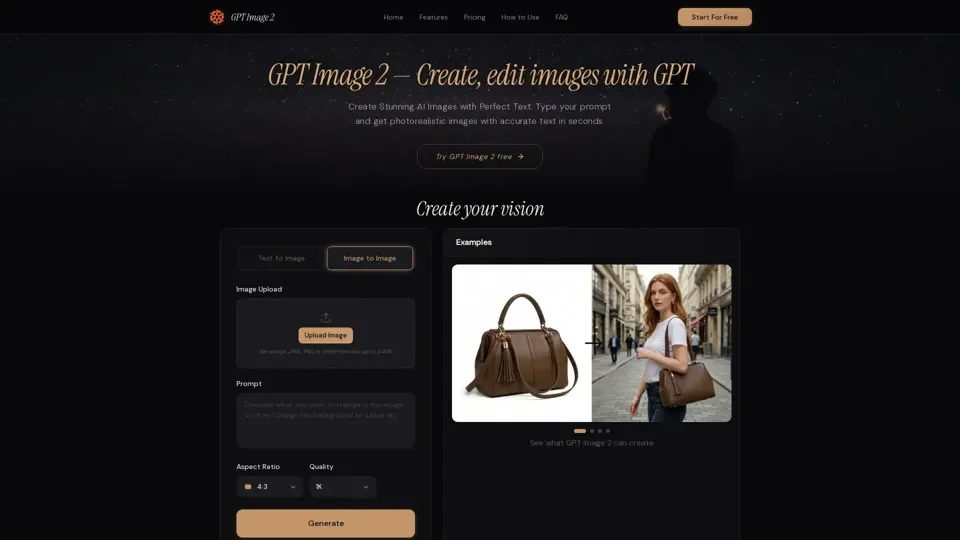
What is GPT Image 2
GPT Image 2 is a next-generation AI image generator powered by OpenAI's GPT-4o architecture. It enables superior text rendering, precise instruction following, and versatile multi-style image creation within a single, unified platform. GPT Image 2 is designed to create stunning AI images with perfect text, allowing users to generate photorealistic images with accurate text in seconds.
Feature of GPT Image 2
The key features of GPT Image 2 include:
-
Unmatched Text Rendering: GPT Image 2 delivers 95%+ accuracy when rendering text within images, making it ideal for creating posters, infographics, product labels, and branded materials with perfectly readable typography.
-
Photorealistic & Multi-Style Output: Generate images in any visual style, seamlessly switching between photorealistic photography, digital illustration, anime, oil painting, flat design, and technical diagrams.
-
Smart Image Editing: Edit existing images using natural language instructions, allowing for precise inpainting without manual masking to remove objects, swap backgrounds, adjust lighting, or add new elements.
-
Transparent Background Support: Generate images with transparent PNG backgrounds instantly, creating design-ready assets for logos, product cutouts, stickers, and UI elements.
-
4K Ultra-High Resolution: Output images up to 4096×4096 pixels, suitable for commercial printing and large-format displays, with multiple resolution presets for various professional use cases.
How to Use GPT Image 2
To use GPT Image 2, follow these simple steps:
-
Enter Your Prompt: Describe the image you want in natural language, being specific about composition, style, colors, and any text you need rendered.
-
Customize Your Settings: Choose your preferred resolution, select the output format (PNG, JPEG, or WebP), enable transparent background for design-ready assets, and pick a style from photorealistic to illustration.
-
Generate & Download: Click generate and receive your AI-created image in seconds. Download in your chosen format or refine the result with natural language follow-up instructions.
Price of GPT Image 2
GPT Image 2 offers a free tier that lets you generate images without sign-up or credit card, with access to standard resolution and quality settings. Premium tiers unlock 4K output, priority processing, and higher daily generation limits, with pricing starting at just $0.005 per image.
Helpful Tips for Using GPT Image 2
- Provide specific details in your prompts for the best results.
- Use the platform for a variety of tasks, including marketing campaigns, UI prototyping, and educational content creation.
- Leverage the daily free uses of GPT Image 2 to explore its capabilities before considering a subscription.
Frequently Asked Questions
-
What is GPT Image 2?: A next-generation AI image generator powered by OpenAI's GPT-4o architecture.
-
How to use GPT Image 2?: Type a detailed description of the image you want, customize settings, and click generate.
-
What formats and resolutions does GPT Image 2 support?: PNG, JPEG, and WebP output formats, with resolutions up to 4096×4096 pixels.
-
Is GPT Image 2 free?: Yes, with a free tier available, and premium tiers offering additional features.
-
Is my data safe with GPT Image 2?: Absolutely, with no data stored on servers and all uploaded files and generated images automatically deleted within 1 hour.